Build Game With Amazon Q CLI

Introduction
In this post I'll walk through my journey of building a snake game using only Amazon Q CLI prompts, showing how AI can accelerate development for projects.
Amazon Q CLI has been part of my daily workflow in my work ever since knowing that existed. For those who are unaware, Q is a generative artificial intelligence (Gen AI) assistant that is built by Amazon to help understand, build, extend, and operate applications and workloads on AWS. Q has been helpful in finding specific information about AWS services which can take a bit of an effort to dig through the documentation.
The Art of Effective Prompting 🎨
Let's start by prompting Q to generate the JavaScript, HTML, and CSS files for the game. Since I already have a site hosted on Cloudflare Pages, I'm going to reuse it to host the snake game.
My initial prompt was deliberately specific about the location and purpose:
I have a static site hosted in cloudflare pages and the static pages are store in the
/Users/hazmei/Documents/repositories/hazmei-personal-site/staticdirectory. I want to generate a static site in the folder q-game-snake which host the snake game. Generate for me the snake game and store it in the q-game-snake folder
Question ❓: What can be done to improve this prompt?
This helped Q to understand what I needed, not just the snake game implementation but one that would work as a static site in my existing project structure.
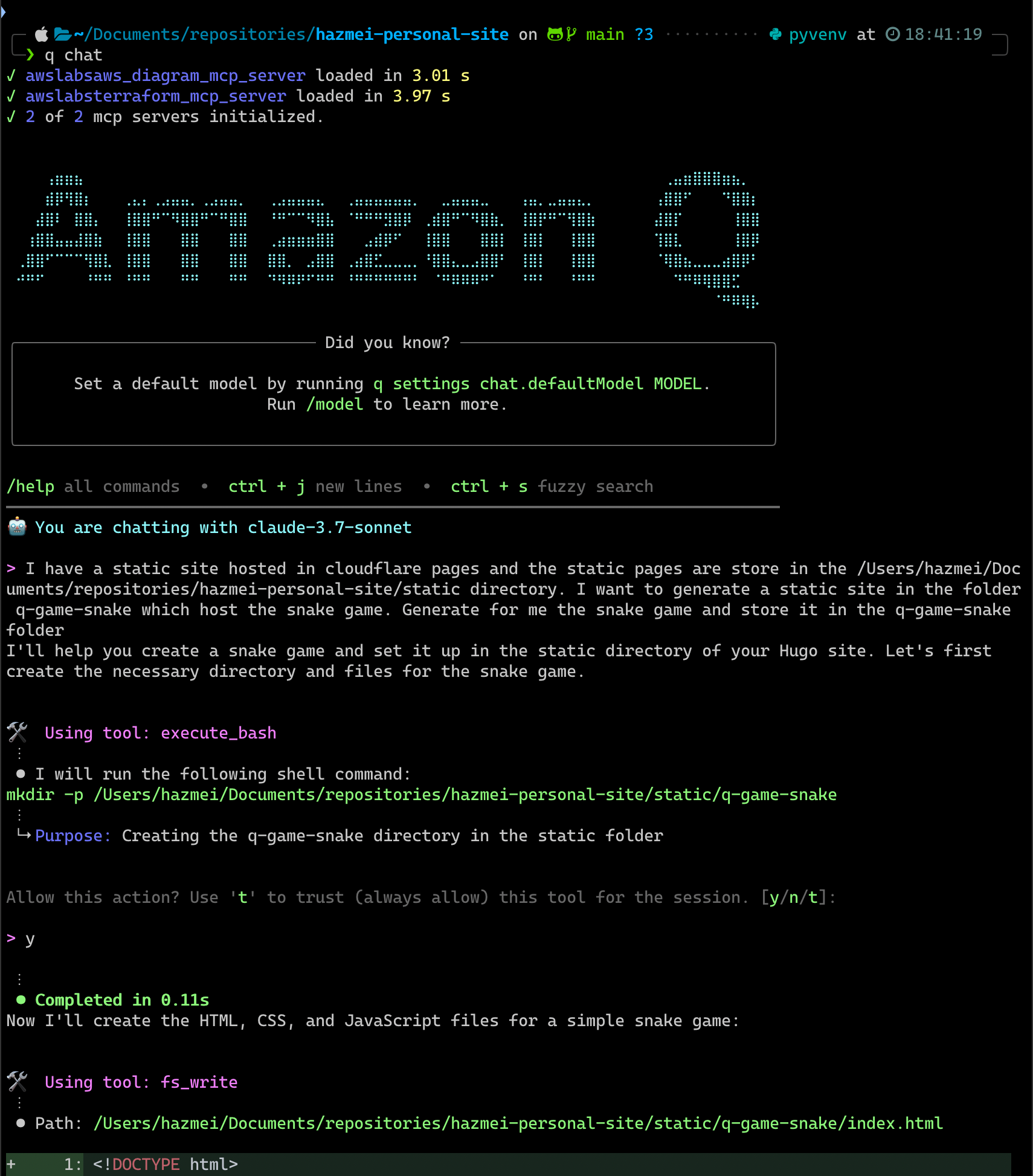 Fig 1. Prompting Amazon Q CLI to generate snake game
The initial output from Q gives a basic snake game that looked exactly like the classic one. However, I noticed a bug in the snake speed logic where the gameSpeed variable didn't reset on game restart, causing the snake to move at the last speed when starting a new game.
This highlight an important lesson in AI-assisted development, always test the generated code thoroughly and not trust the code blindly.
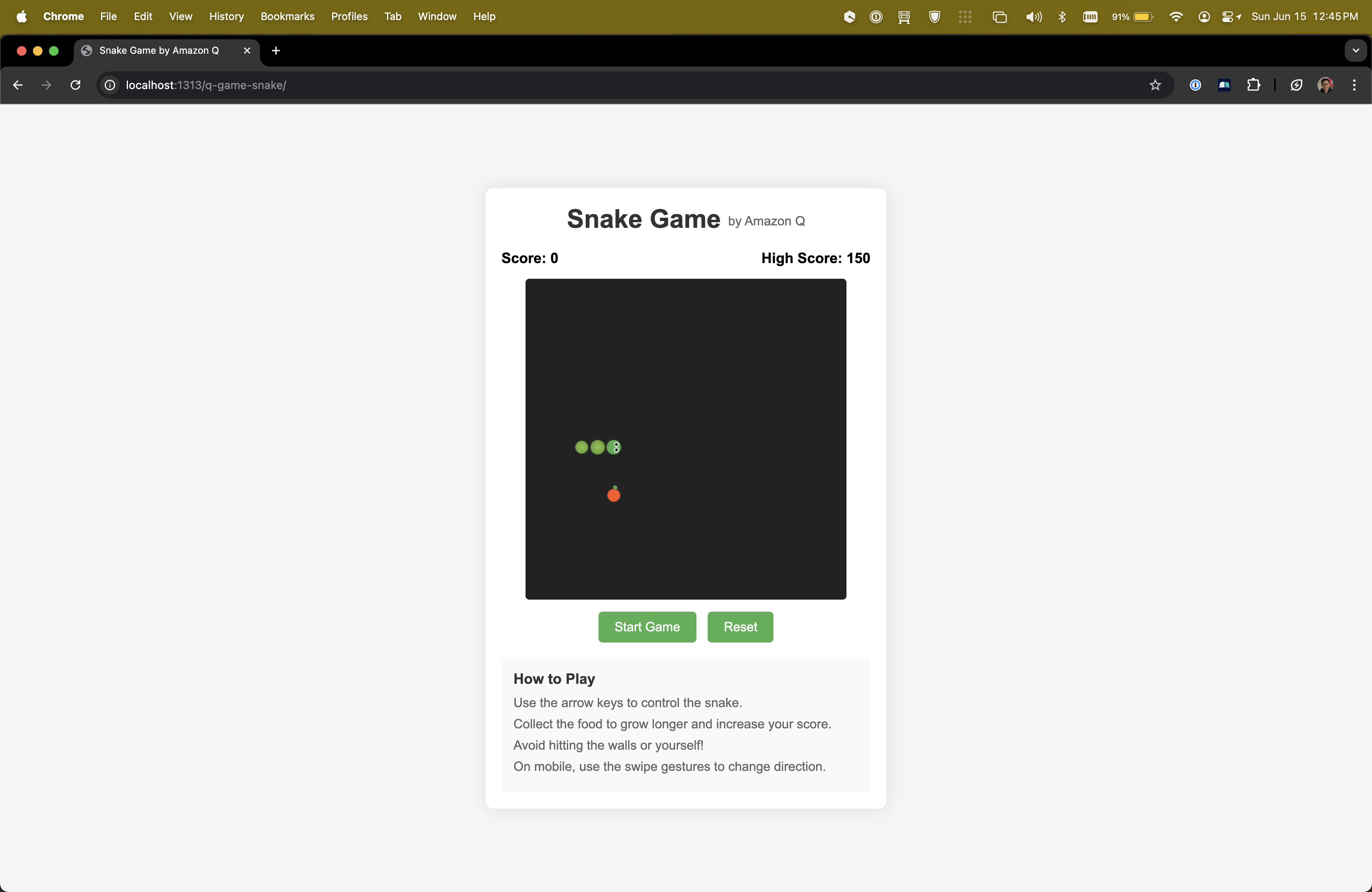 Fig 2. Initial version of the snake game
Further Improvement with Prompts
After getting the basic game working, I noticed several areas for improvement:
- Bug fixes: Game speed wan't reset properly between games
- Mobile support: Original version wasn't ideal to be played on touch devices (using swipe to change direction)
- Visual appeal: Basic design can use some enhancement
For each issue, I crafted specific prompts to guide Q in making the necessary improvements. It is necessary to review the changes and test it out before moving on.
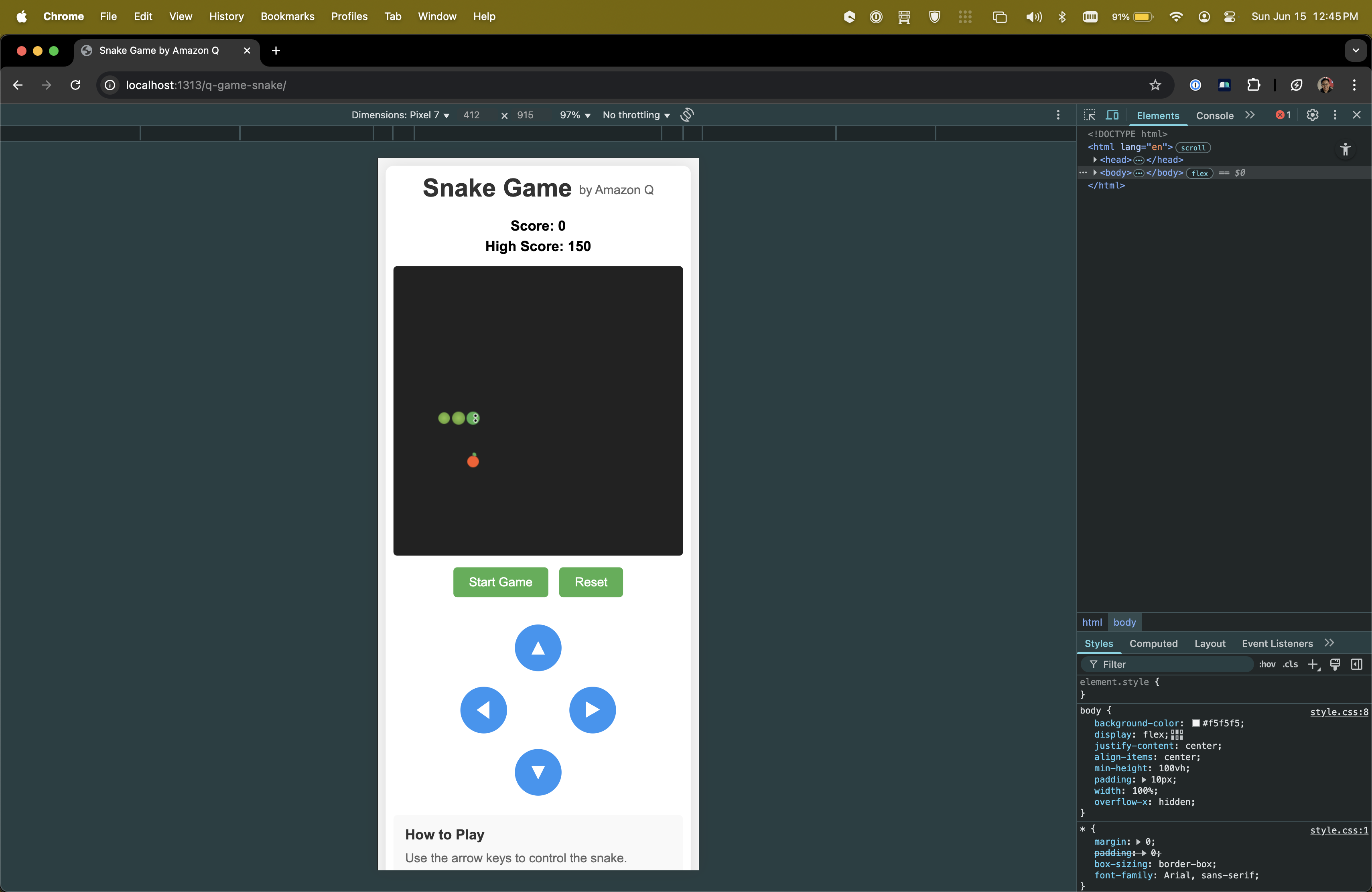 Fig 3. 2nd version of the snake game
Making It Visually Appealing 💄
With the core functionality working, I wanted to make the game more visually appealing to adults. I prompted Q to:
Make the snake game more appealing to adult gamers.
⚠️ Note: This prompt can be further optimised by giving a definition on what is appealing to adult gamers.
Q responded by redesigning the game with a dark theme and neon acces, transforming it from a basic implementation to something that looks like a design out of Razer products. 🤣
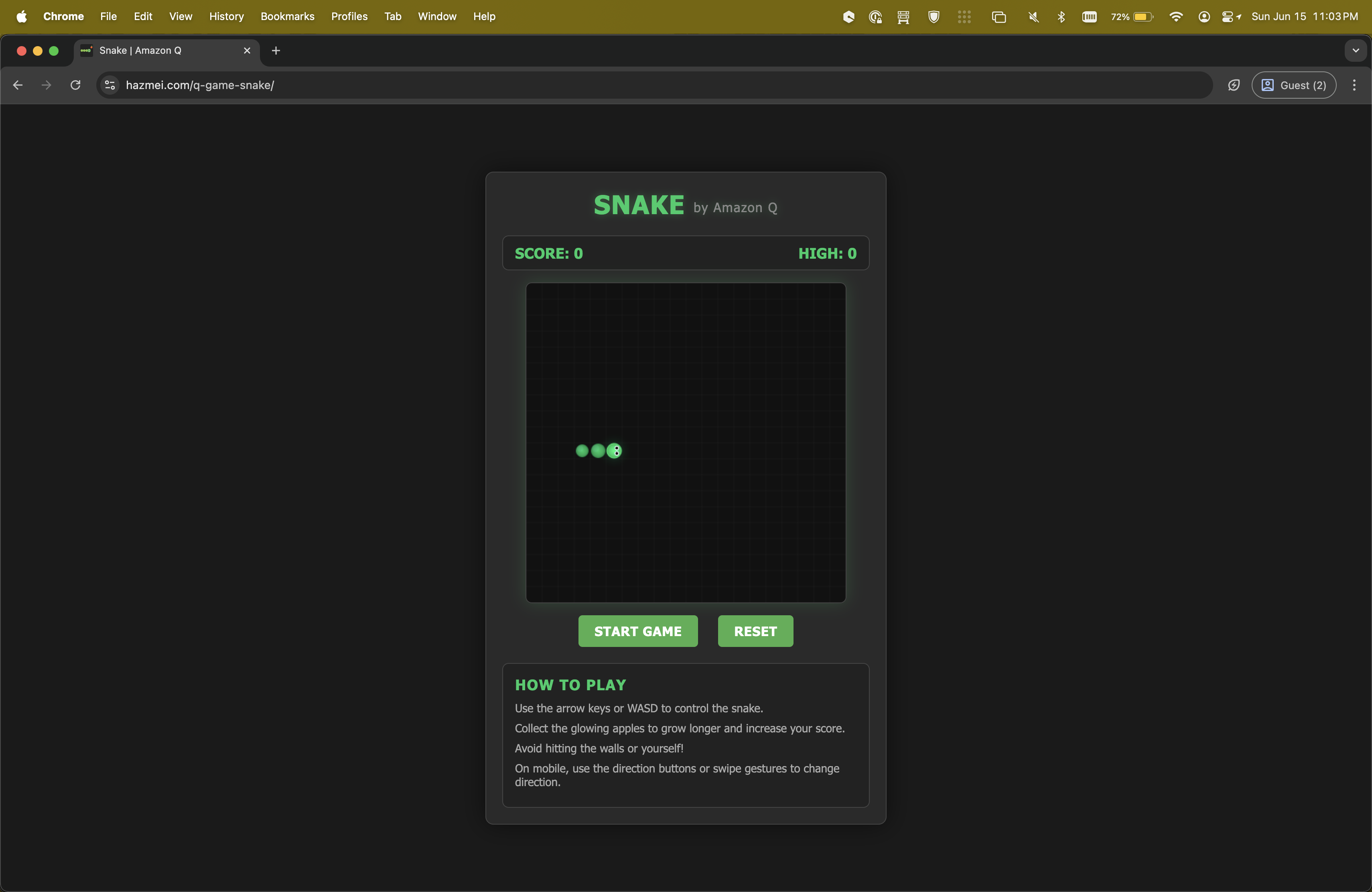 Fig 4. Final version of the snake game
The visual enhancements included: - Dark background with neon green accents - Gradient effects on the snake body - Glowing effects for the snake head and food - Subtle grid lines for better visual reference - Redesigned UI elements with a more sophisticated look
This demonstrated Q's ability to apply design principles to create a visually appealing experience.
Challenges and Learnings 📓
Building this game with Amazon Q CLI revealed several insights:
What Worked Well 👍🏽
- Code Structure: Q generated well-organized, modular code that was easy to understand and modify
- Responsive Design: Q handled responsive design considerations without explicit instructions
- Visual Design: Q was able to apply sophisticated visual effects and theming then prompted
Challenges 😫
- Subtle Bugs: Initial code had bugs that weren't immediately apparent
- Mobile Controls: Getting touch controls to feel natural required several iterations
- Performance Optimization: Some generated code needed optimization for smoother gameplay
Key Learnings 💡
- Be specific about implementation details in your prompts
- Test thoroughly, as the generated code may have subtle bugs
- Use iterative prompting to refine specific aspects of the implementation
- Provide clear feedback about what's not working to get targeted fixes
Wrapping it all 🌯
Building this snake game with Q demonstrated how AI can accelerate development. What would have taken hours of manual coding was accomplished through a series of prompts.
The most interesting aspect was that Q could iteratively improve the code based on feedback - fixing bugs, adding features, and enhancing visual design.
For developers, this can be a double-edged sword. We can use it by solely relying on it - trusting every generate code which could be sub-optimised and full of security loopholes, or use it to generate ideas, project skeletons and providing quick insights.
Try out the final game here.